
See a job take shape.
From a starting template to your own job page and hiring workspace. A short look at the real product, before you create an account.
Prefer reading? Read the walkthroughSave drafts before paying. $15 USD once for one supported opening at one actual worksite, live for 30 days from successful publication. No subscription or automatic renewal.
Read the walkthrough
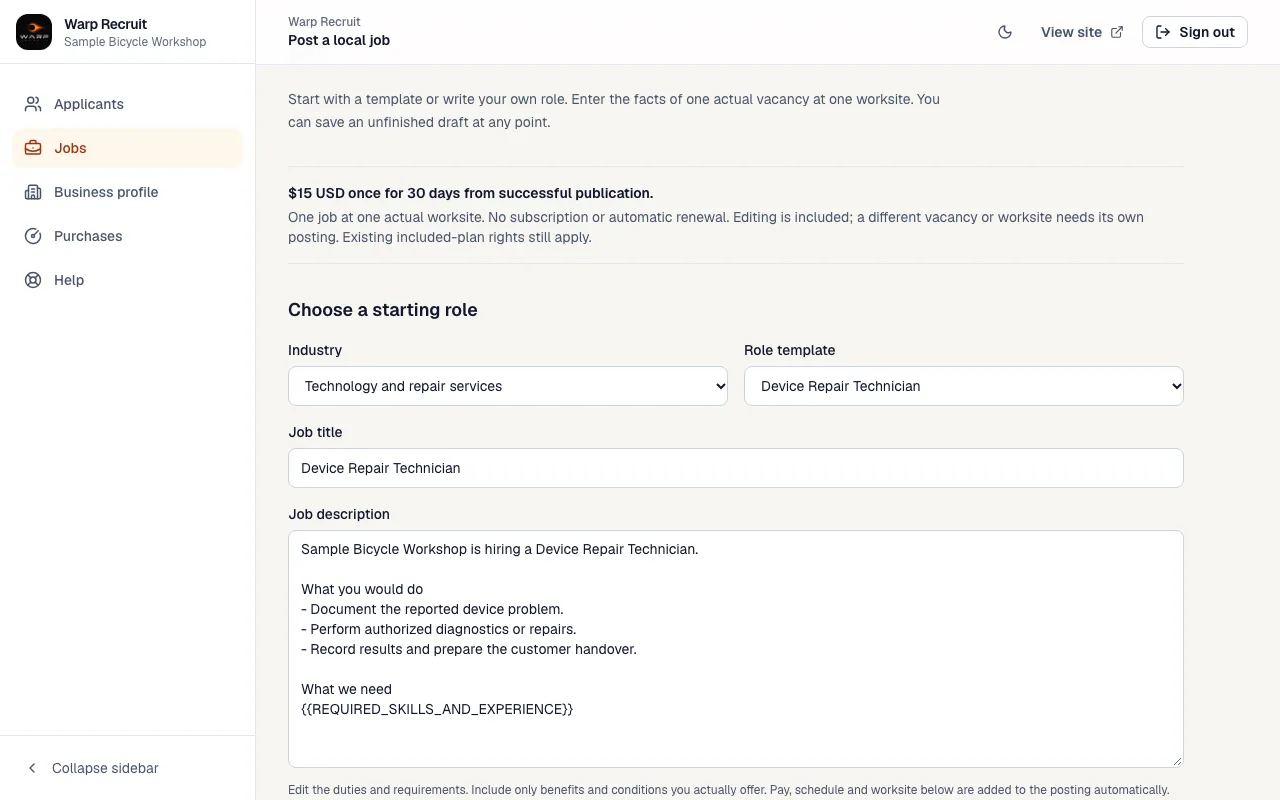
1.Choose a starting template
Start with a role that fits, then edit it for your actual vacancy. Your duties, requirements and workplace should sound like your business.
Open full-size screenshot: choose a starting template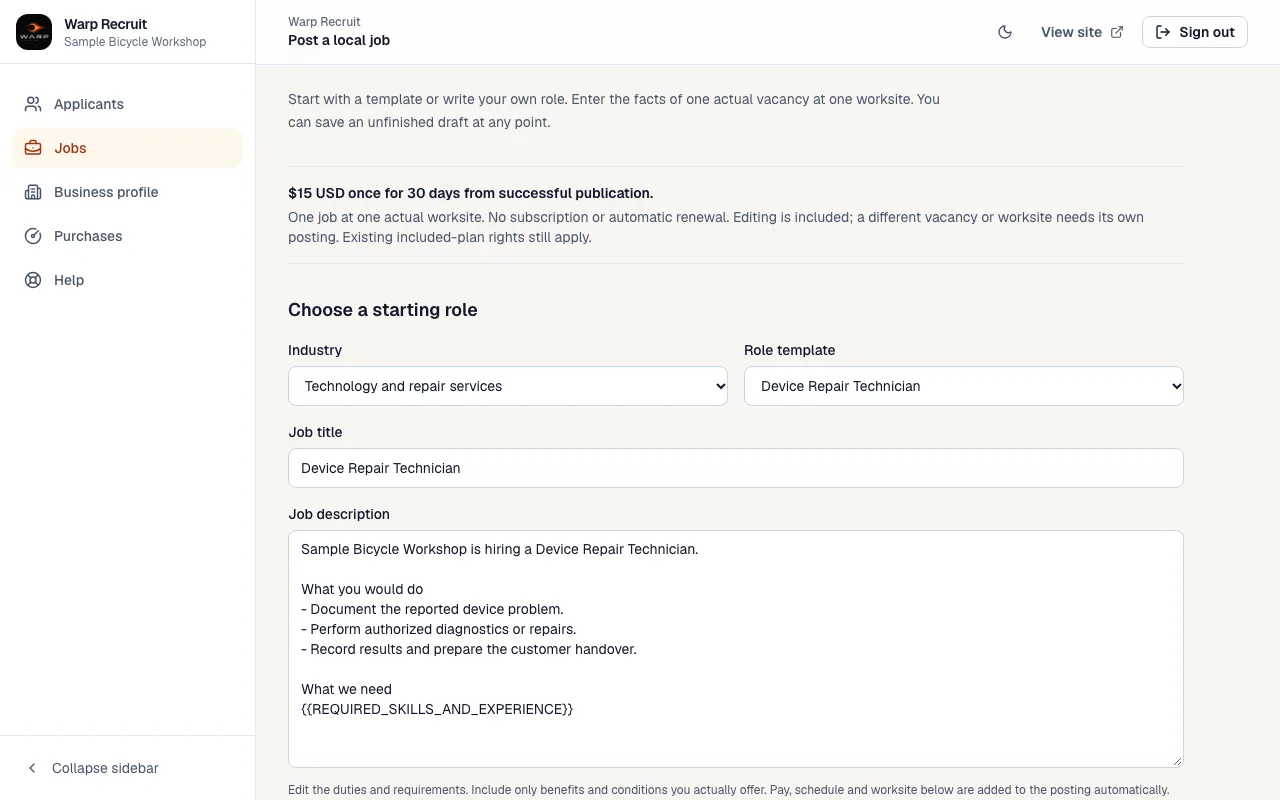
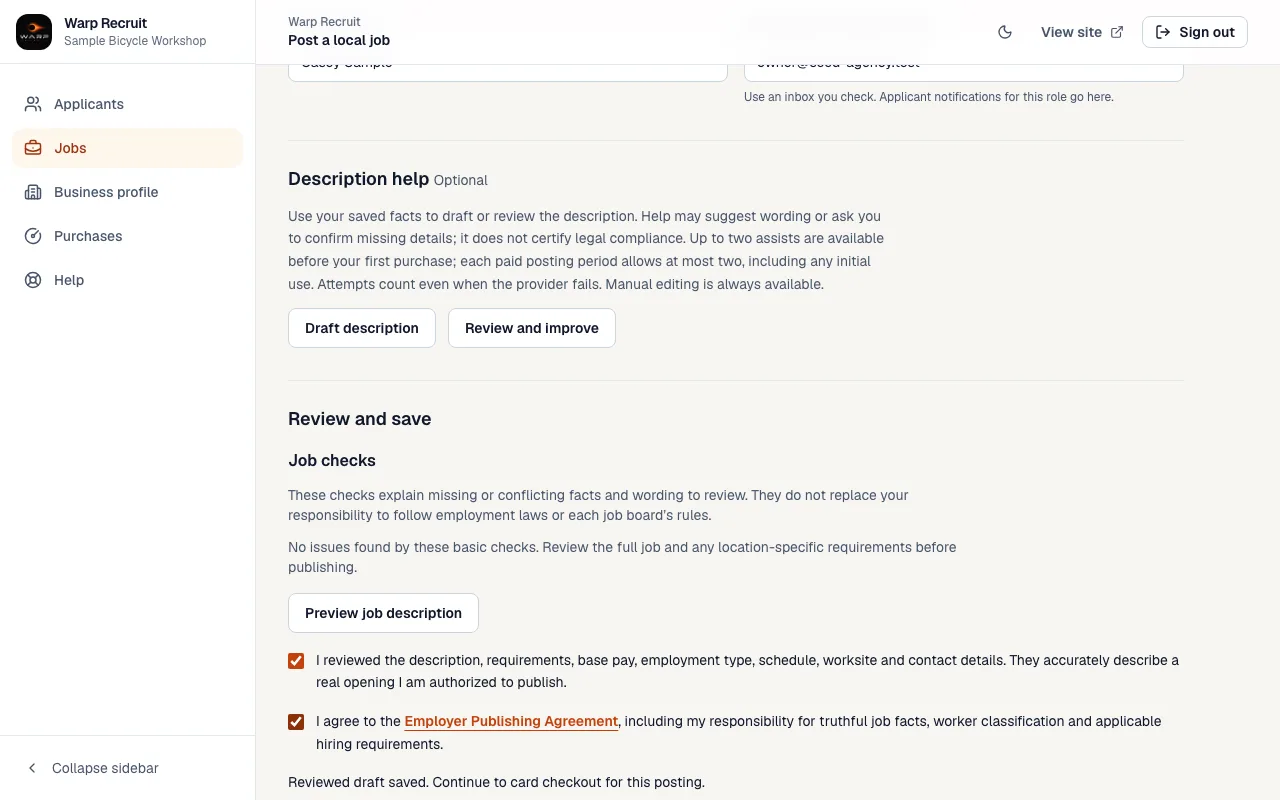
2.Review the real details
Confirm the pay, schedule, worker classification and actual worksite. Review your job and the employer terms before continuing to the $15 checkout.
Open full-size screenshot: review the real details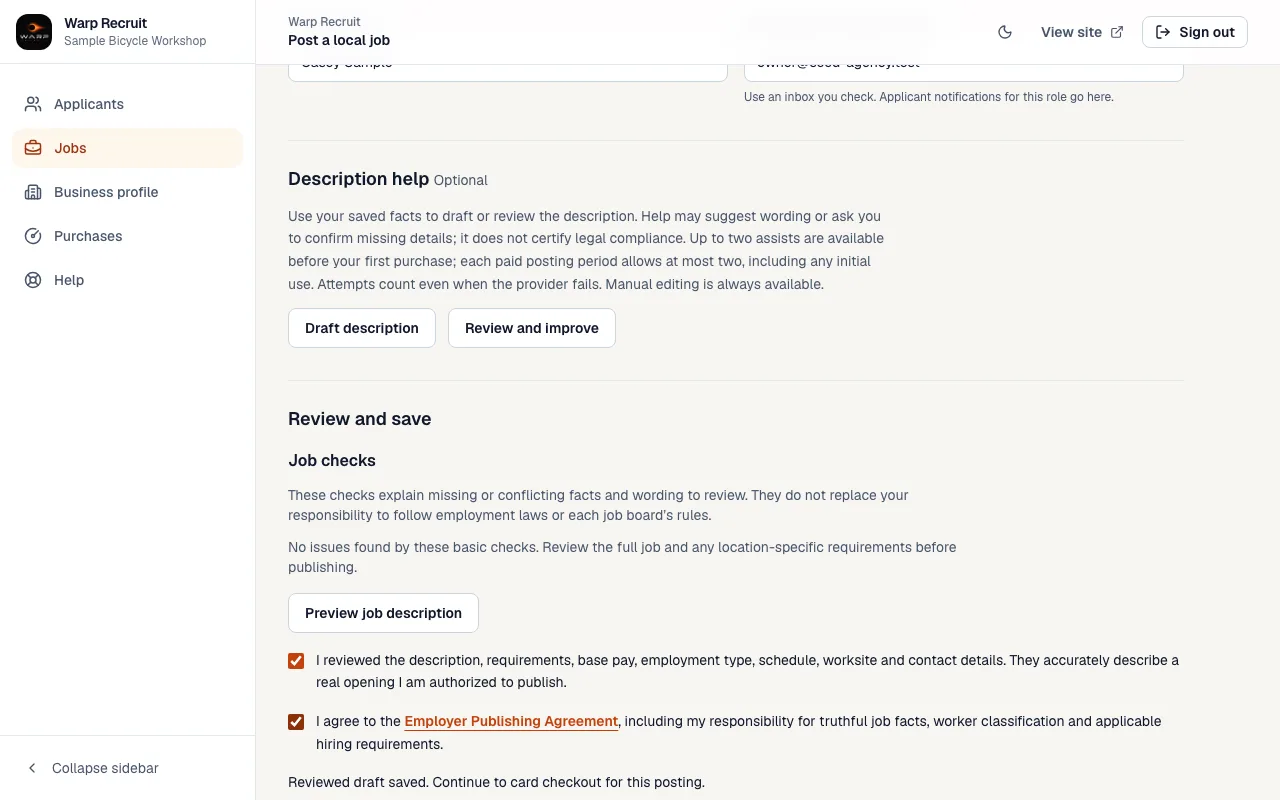
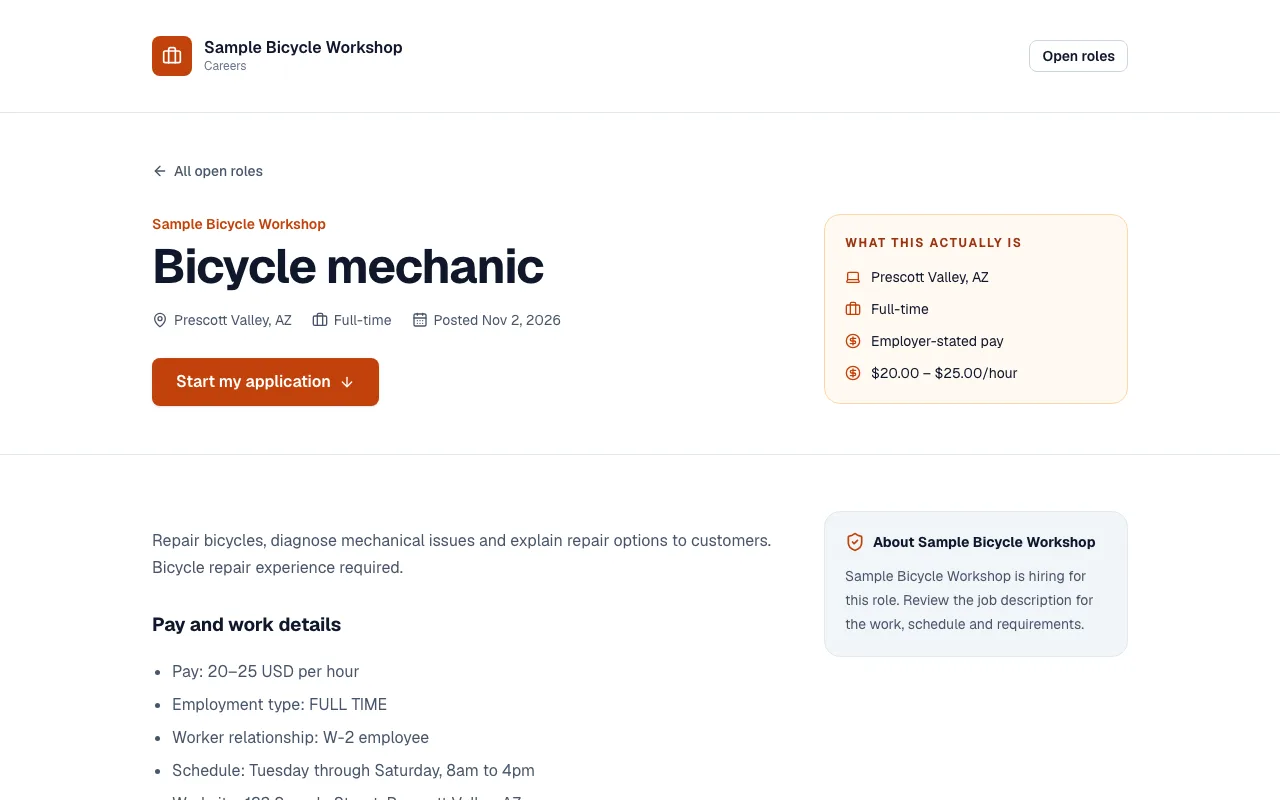
3.Share your published job page
Successful publication starts your 30-day period. Share your branded page and application form. Eligible jobs enter connected feeds; external boards decide what they display.
Open full-size screenshot: share your published job page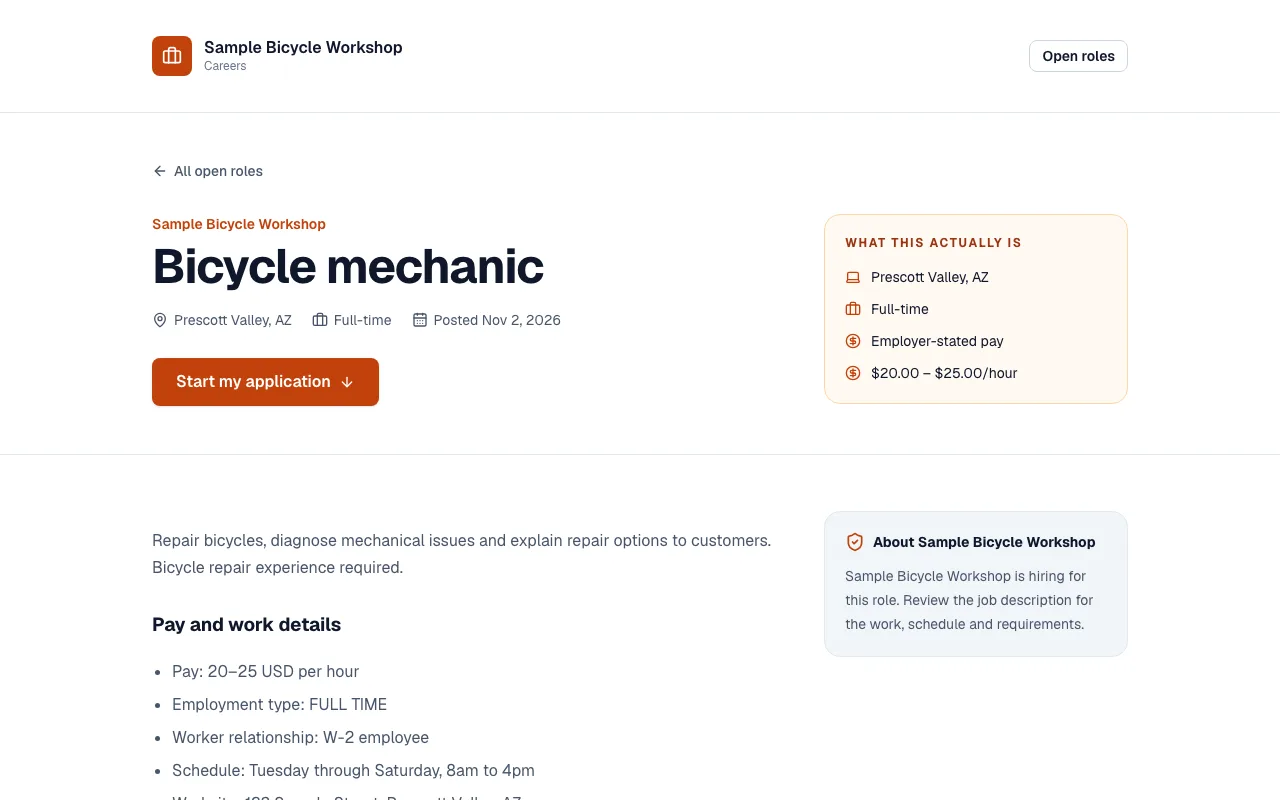
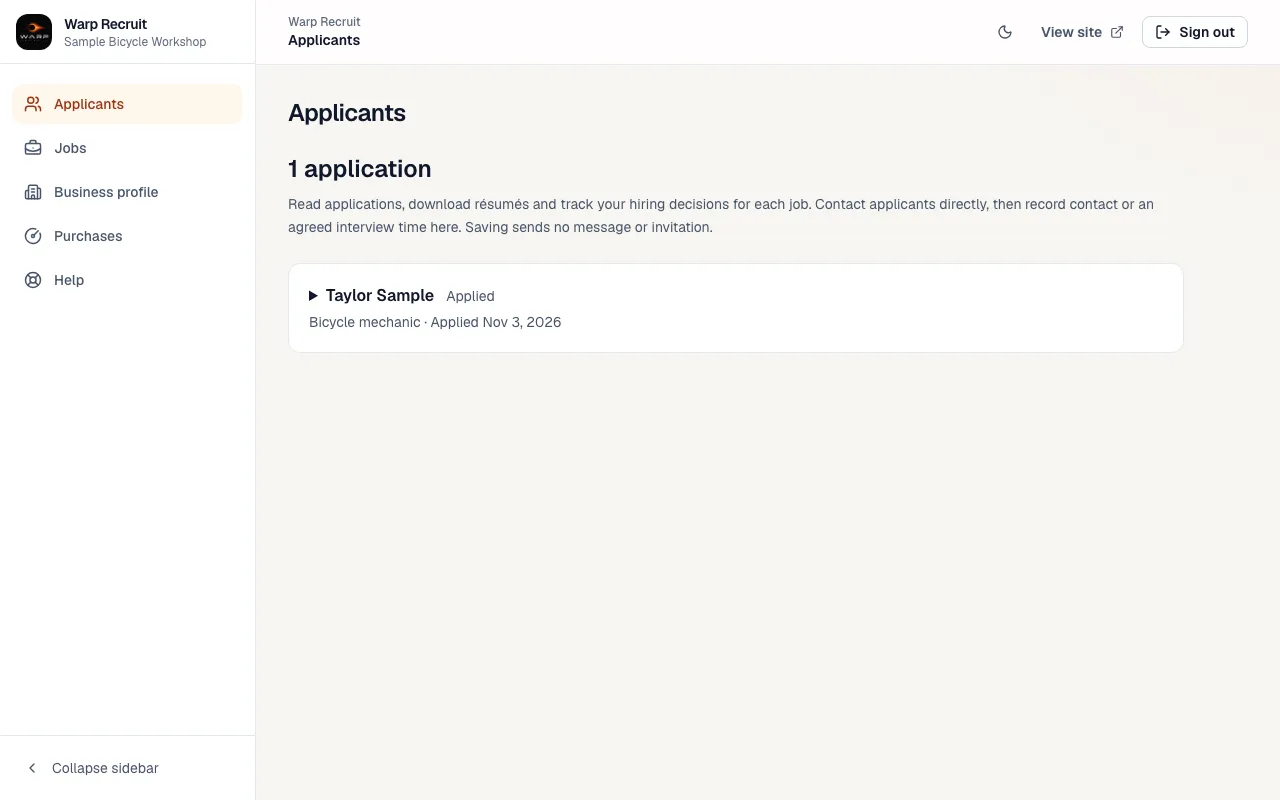
4.Review applications in one workspace
When someone applies, read their responses and track your hiring decisions. The sample application here illustrates the workflow; it is not a promised result.
Open full-size screenshot: review applications in one workspace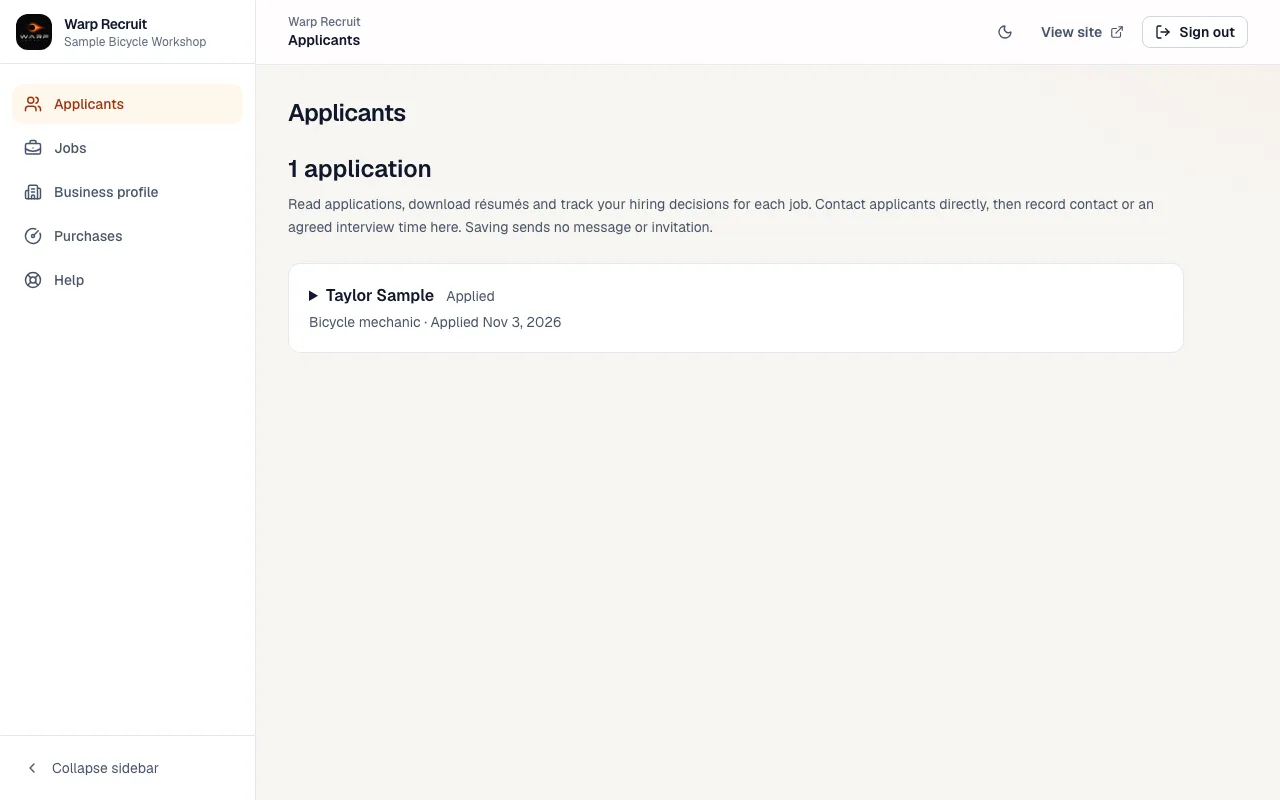
A different kind of hiring?
This walkthrough covers one supported general job at an actual worksite. Remote and 1099 insurance recruiting use the agency path, with reusable roles and ongoing recruiting tools.